Turn your photo into a 3D-printable halftone art
POINTILEX rebuilds your photo out of thousands of micro-dots of coloured PLA filament, all on one flat layer. Up close you see the tiny dots, instead from two metres away your eye blends them into a full-colour picture. There's no paint, no inks, no post-processing: just a multi-colour Bambu printer that prints with spools.


1 · Parameters
Advanced
2 · Export
Other files
Step 2 → get your printable file (MakerWorld) ↗Tile preview (up close)
3D preview — framed
FrameFilament bill of materials (BOM)
Spool Bank: best palette for your photo
Tell us which filaments you own; we suggest the best combo for this image (optical mixing). White is always the base.
Get the new masters + tips
Optional. Drop your email for new artwork drops and printing tips. No spam, unsubscribe anytime.
By submitting you agree we may store your address to send you the artwork pack. See the privacy notice. You can ask us to delete it at any time.
A photo, a painting, a logo, an illustration. Processing runs on your computer: the file is never uploaded anywhere.
Photo mode rebuilds pictures in coloured dots; Logo mode gives clean shapes, lettering and cut-out pieces. Live previews, in 3D too.
It opens straight in Bambu Studio with the colours already assigned to the right slots. Slice and go.
Every tile is one real spool
- Your imageA photo or a painting. It never leaves your browser.
- A grid of cellsThe picture is split into thousands of cells, one per tile.
- Five filamentsEach cell takes the colour of a real spool; error diffusion keeps the tones.
- One plate to printEvery tile sits on the same 0.4 mm layer, over a 1.2 mm base. Ready for your printer.
Two ways to get a printable file
Pointilex is an encoder: it turns pixels into tiles. What you do with those tiles is up to you: the direct route gives you the finished plate, the configurator route keeps everything inside MakerWorld.
Direct 3MF: full flat surface
One click, one file. Every colour, white included, is printed as tiles on the same layer, so the surface comes out perfectly flat and continuous, like a printed poster. Colours arrive pre-assigned to the filament slots. Base 1.2 mm + tiles 0.4 mm = 1.6 mm total.
Code SVG + MakerWorld configurator
Download the Code SVG, upload it to the parametric model on MakerWorld, choose printer and size there. The result has a slight relief (coloured tiles standing 0.4 mm above the base). Useful if you prefer to stay inside MakerWorld and let it slice for you.
Bigger than your build plate? The multi-plate pack splits the artwork into one 3MF per plate and adds an assembly guide. The dithering is computed on the whole image before splitting, so the texture runs continuously across the seams, and the white border is applied only to the outer perimeter, so the internal edges butt together cleanly.
Logos, lettering and bookmarks
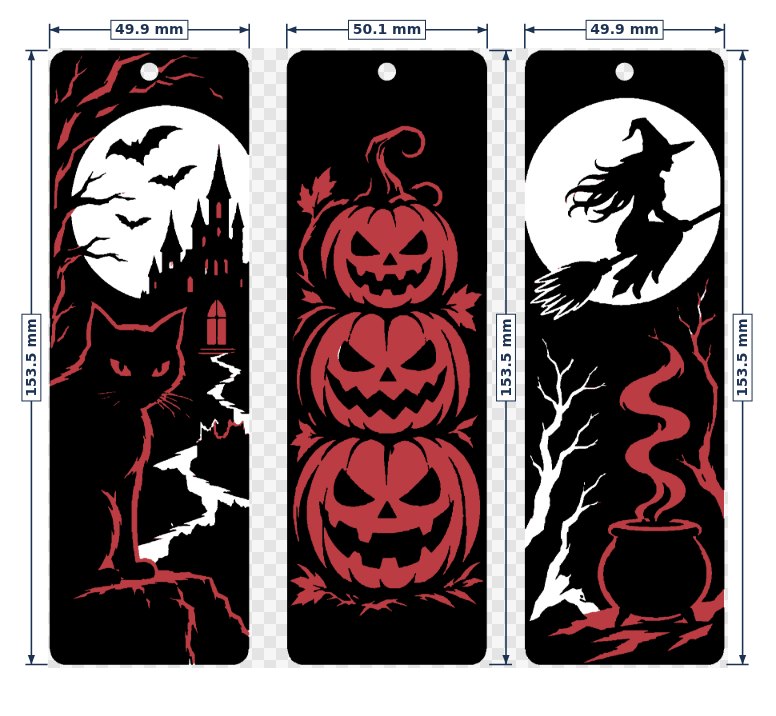
For graphics made of flat colours (logos, lettering, line art, illustrations) Logo mode skips the dots: every colour becomes its own clean shape, raised above the base so it catches the light. Edges between colours are shared exactly, with no gaps and no overlaps.
- Up to 24 colours (the H2C maximum), matched to the spools you tick in the Spool Bank, with palette suggestions.
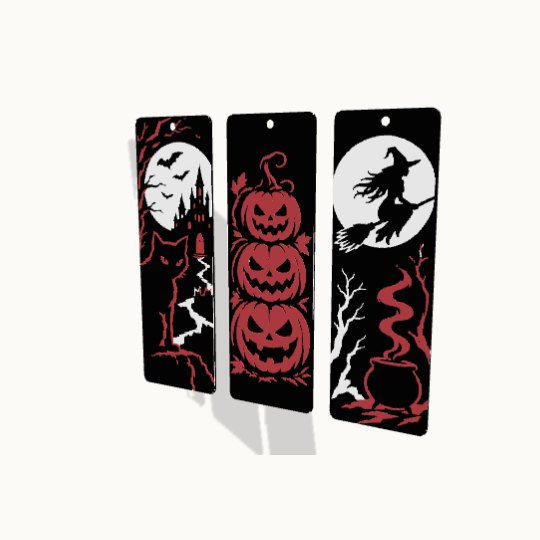
- Cut-out background for bookmarks, tags and keychains, with an optional tassel hole.
- 0.4 or 0.2 mm nozzle: the printability thresholds adjust on their own.
- Dimensions and 1:1 zoom: check each piece at its real size on screen before printing.
Five filaments, thousands of colours
There is no colour mixing on the plate. Each tile is one solid, unmixed filament. The mixing happens in your eye: this is partitive optical mixing, the same effect the pointillists used: put a red dot next to a yellow one, step back, and you see orange. Pointilex chooses which filament goes in each cell with Floyd–Steinberg error diffusion computed in CIE Lab space, so the error is distributed the way human vision actually perceives it, not the way RGB numbers behave.
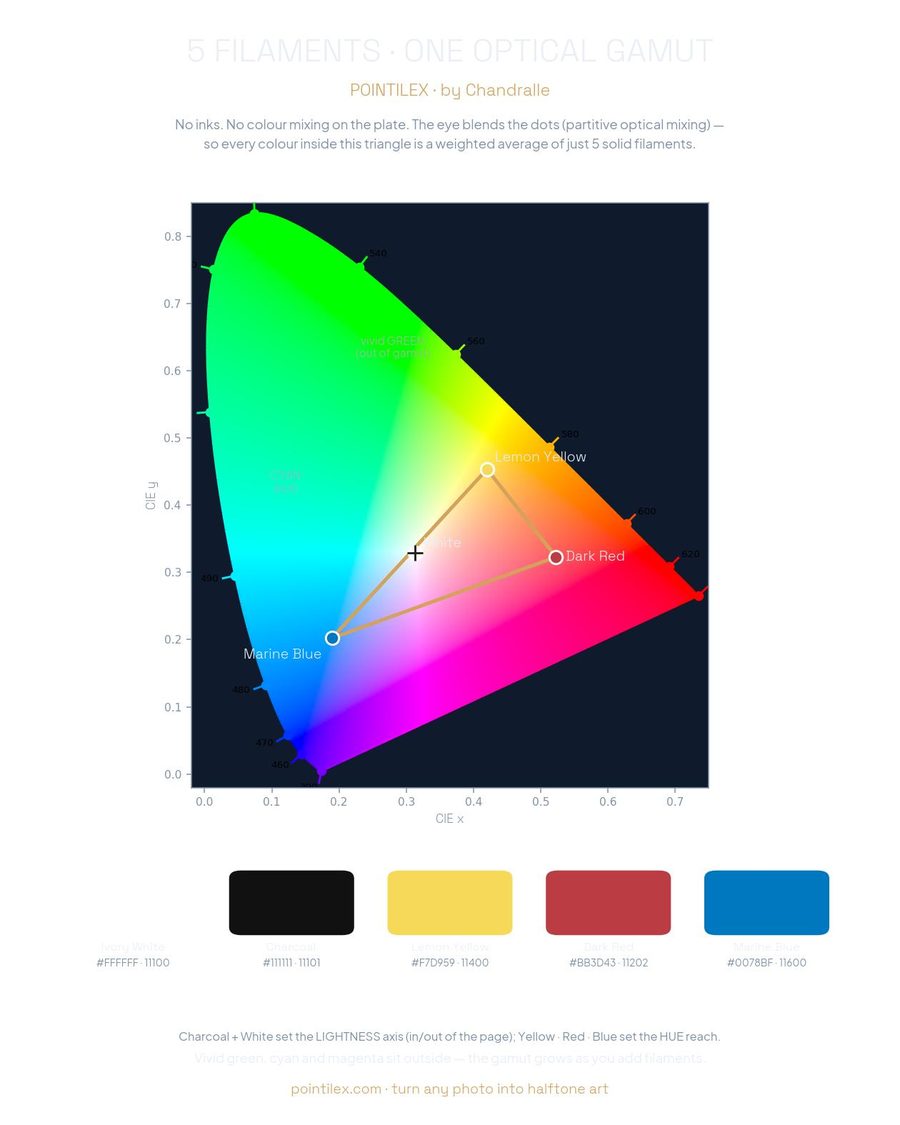
Every colour inside the triangle below is reachable as a weighted average of just five spools. White and charcoal set the lightness axis; yellow, red and marine blue set the hue reach. Vivid green, cyan and magenta fall outside. That is the honest limit of a five-filament palette, and it is why the Spool Bank exists: declare the spools you actually own and the encoder picks the combination that covers your image best.
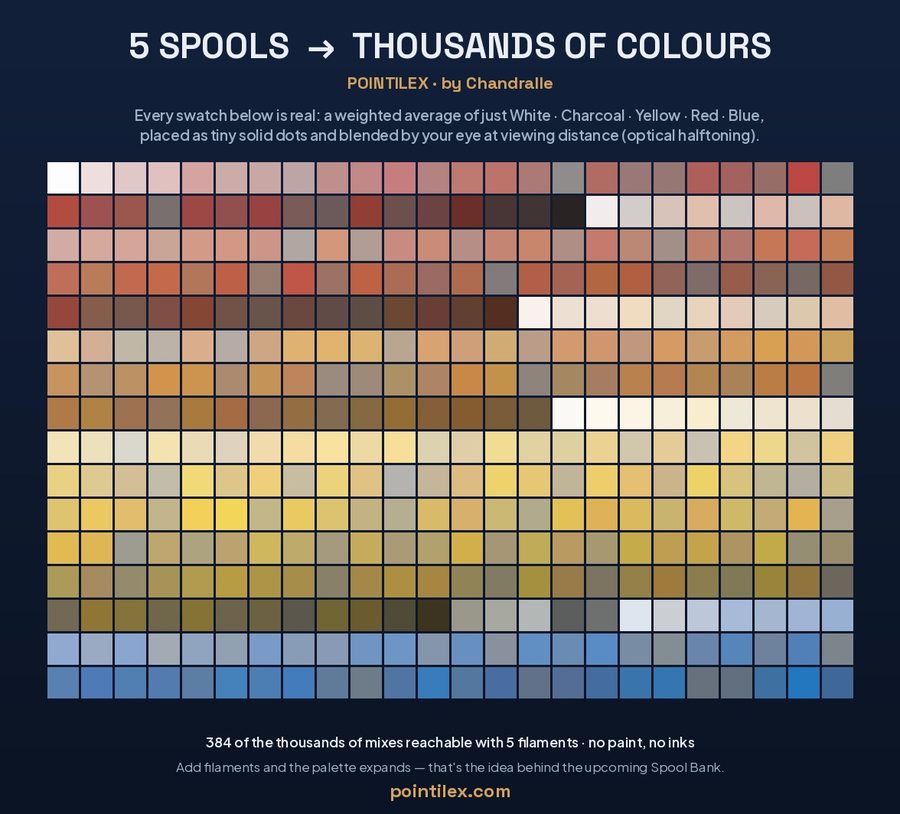
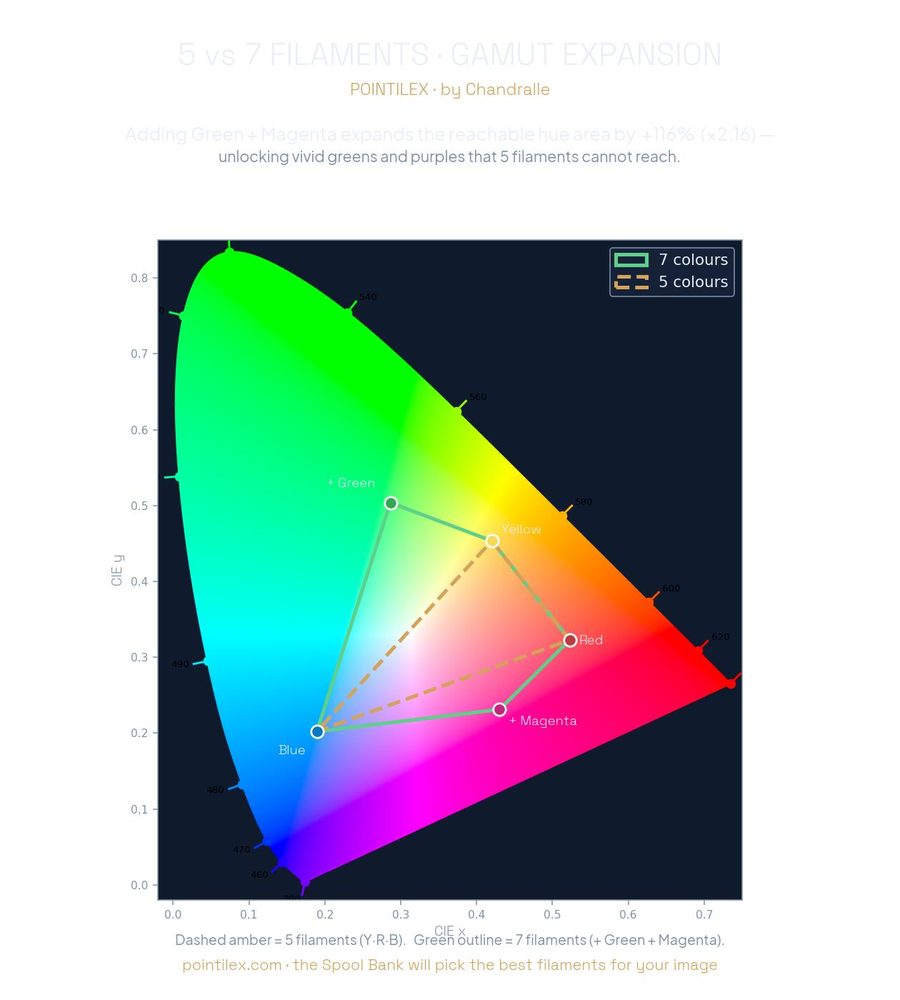
How far away should you stand? Human visual acuity is roughly one arcminute, so two dots stop resolving separately at about 3400 times their spacing. With the standard 0.8 mm pitch that is around 2.5 m; with a 0.5 mm pitch (0.2 mm nozzle) the picture already resolves at about 1.7 m. Closer than that, the artwork reads as a texture of dots, which is precisely the point.
Step back and the dots become a picture
No colour is painted. Solid dots side by side, mixed by your eye. With the standard 0.8 mm pitch the picture resolves at about 2.5 m.
What you need, what it costs
A multi-material Bambu printer (AMS, AMS lite or H2 series). All the colours sit on the same layer band, so the machine changes filament within each layer. This cannot be done by hand. Matte PLA is strongly recommended: it kills specular reflections, and reflections are what stop dots from blending.
| Item | Value |
|---|---|
| Measured reference: The Great Wave, 300×202 mm, Penta | 125 g of PLA · about €2.51 of filament · 8 h 21 min on an H2C |
| Standard palette (Penta) | Ivory White 11100 · Charcoal 11101 · Lemon Yellow 11400 · Dark Red 11202 · Marine Blue 11600 |
| Tile pitch | 0.8 mm with a 0.4 nozzle (standard) · 0.5 mm with a 0.2 nozzle (fine art) · 1.0 mm for maximum reliability |
| Panel thickness | 1.6 mm: 1.2 mm base + 0.4 mm tiles |
| Max size on one plate | 180 mm (A1 mini) · 256 mm (A1, P1, X1) · 320 mm (H2 series). Beyond that, multi-plate |
Filament use and print time scale with the area, not with the number of colours: a postcard is a short print, a wall panel is an evening. Purge waste depends on your slicer settings and is the one figure worth tuning before a large job.
Common questions
Do I need an AMS or a multi-colour printer?
Which printers are supported?
Does my photo get uploaded anywhere?
Which images work best?
How large can I go?
What is the difference between the 3MF and the Code SVG?
Is it really free?
Can I sell what I print?
Why matte filament?
Bambu Studio shows two warnings when I open the file. Is something wrong?
What is the Spool Bank?
How should I hang the panel?
How do I make bookmarks, tags or keychains?
When should I use the 0.2 mm nozzle?
How does the 1:1 real-size zoom work?
Printed masters, ready to download
Five public-domain masterpieces are published as finished, print-ready models: The Great Wave, the Mona Lisa, The Starry Night, The Kiss by Hayez and Klimt, each in three formats. Print one to see the effect in your hands before encoding your own photo.
Built step by step
The encoder is developed continuously and every feature is checked on real prints before it goes live. The main steps so far.
- Frame kit: hang it or stand it. Every rail gets diamond holes for clip-in keyhole hangers and 6 mm holes for two table-stand pins, with the pin length set for your frame size. Tested in print.
- Logo mode, full release. Up to 24 colours matched to the Spool Bank, cut-out bookmarks and tags with tassel hole, 3D preview of the pieces, dimensions, 1:1 real-size zoom, palette suggestions, multi-plate logos, 0.2 mm nozzle.
- Logo mode arrives. Flat-colour graphics become clean shapes in relief, with printability filters for thin details.
- First logo prints on the bench. The frame configurator gains printability warnings.
- One state, two outputs. Artwork and frame kit are always generated from the same settings.
- Parametric frame on MakerWorld, customisable to any panel size.
- Frame kit generated in the browser: STL parts sized to your artwork, with interlocking joints.
- Live 3D preview, with the artwork already framed.
- Spool Bank palette optimiser; no-crop encoding, built-in white border, Quadri and Hexa palettes.
- Redesign of the site, sample image, privacy page.
- Multi-plate export validated on a 435,540-tile artwork.
- First print-ready masters published on MakerWorld.
Upload a photo. Print a panel.
Free, no account. Choose printer and size, download a print-ready 3MF.